
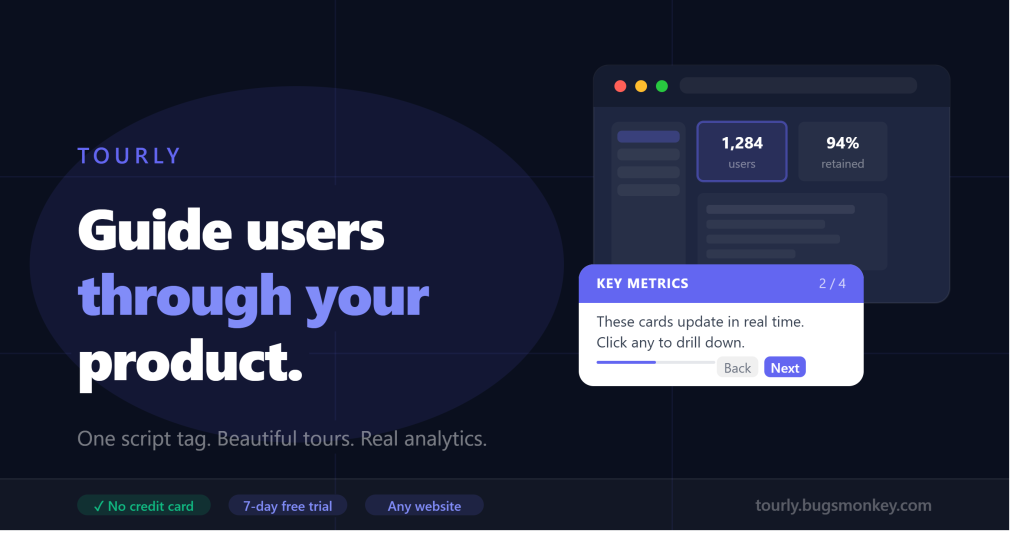
The easiest way to guide new users through your product, track every step, and boost activation – without writing a single line of code.
You built something great. Your product works. But users keep dropping off in the first session – confused, overwhelmed, or simply not knowing where to start.
Sound familiar?
You’re not alone. Studies consistently show that most users who churn do so within the first week – not because your product is bad, but because they never experienced its value. They got lost before they got hooked.
That’s exactly the problem Tourly was built to solve.
What Is Tourly?
Tourly is an onboarding walkthrough platform that lets you create interactive, step-by-step product tours for your web app and embed them with a single line of code.
No complex integrations. No developer required. No monthly bill that makes your eyes water.
Just beautiful, branded walkthroughs that guide your users to their “aha moment” – faster.
Why Your Users Need a Guided Tour
Think about the last time you tried a new app. You probably spent the first few minutes clicking around, trying to figure out what to do first. If nothing clicked quickly, you left.
Your users do the same thing.
A well-designed onboarding tour changes this. Instead of leaving new users to wander, you walk them through your product’s most important features – step by step, in context, at exactly the right moment.
The result?
- Users reach their first success faster
- Support tickets about “how do I…” drop significantly
- Activation rates go up
- Churn in the critical first week goes down
And with Tourly, you can see all of this happening in real time.
Everything You Need to Onboard Users Brilliantly
Visual Step Builder
Create your walkthrough steps directly in the Tourly dashboard. Give each step a title, write the content, choose which element on your page to highlight, and set the position. No code. No developer. Done in minutes.
You can target any element on your page – a button, a menu item, a card, a form field – using standard CSS selectors. If you can click it, Tourly can highlight it.
One Script Tag, Any Website
Once your walkthrough is ready, you get a single <script> tag to copy. Paste it into your website’s HTML – before the closing </body> tag – and you’re live.
<script src="tourly.bugsmonkey.com/scripts/your-key.js" defer></script>
That’s it. One line. Works on React, Vue, Laravel, WordPress, plain HTML – anything that runs in a browser.
Matches Your Brand, Exactly
Your walkthrough tooltip should feel like part of your product, not a foreign widget stuck on top of it.
Tourly gives you a full colour scheme picker with presets and a custom colour input. Your chosen colours are baked directly into the generated script – so the accent colour, background, text colour, and button styles all match your brand perfectly.
No CSS overrides. No !important battles. Just pick your colour and go.
Multi-Page Tours
Your product isn’t one page – and your onboarding tour doesn’t have to be either.
With Tourly, each step can be tied to a specific page URL. The tour automatically pauses when it reaches a step on a different page, saves the user’s progress, and resumes exactly where they left off when they navigate there.
A clear “Continue on next page” prompt tells users exactly where to go next – with a direct link. Users never lose their place, even across complex multi-page workflows.
Built-In Trace Analytics
Most onboarding tools just show you that a tour ran. Tourly shows you how far it got.
Every interaction is recorded:
| Event | What it tells you |
|---|---|
| Load | How many pages / visits have the tour embedded |
| Start | How many users actually began the tour |
| Step viewed | Which steps get seen (and which get skipped to) |
| Complete | Your onboarding success rate |
| Skip | At which step users gave up |
| Exit | At which step users closed the tour |
Filter by domain, date, event type, or specific script. See exactly where users drop off and fix it.
Domain Allowlisting & Unauthorized Usage Detection
Embed your script on your domain only – and know immediately if anyone tries to use it elsewhere.
Set an allowlist of authorized domains in your script settings. Any usage from outside that list is silently recorded and flagged in your admin panel under Alerts – with the unauthorized domain, the page URL, the event type, and the IP address.
Your users get no broken experience. You get full visibility.
Shows Once, Replays on Demand
Tourly remembers which users have already seen the tour and won’t show it again automatically. No annoying repeated popups.
But if a user wants to replay the tour – from a Help button, a “Show me around” link, or any trigger – they can. One line of JavaScript: window.__walk.start().
Pricing That Makes Sense
Tourly is priced for teams of every size. All plans start with a 7-day free trial – no credit card required.
| Plan | Price | Scripts | Trace events / mo |
|---|---|---|---|
| Solo | ₹99 / $1.99 per month | 1 script | 1,000 |
| Starter | ₹299 / $4.99 per month | 3 scripts | 5,000 |
| Pro | ₹999 / $9.99 per month | 20 scripts | 1,00,000 |
| Enterprise | ₹3,999 / $39.99 per month | Unlimited | Unlimited |
Indian users pay in ₹ via Razorpay (UPI, cards, netbanking). International users pay in $ via Stripe. Pricing is detected automatically based on your location – or you can switch currencies manually.
Annual billing is available with 1 month free (pay for 11, get 12).
Who Is Tourly For?
SaaS founders who want to improve their trial-to-paid conversion without hiring a UX team.
Product managers who need to onboard users to new features without a developer.
Agencies building client products who want to offer onboarding as a service.
Indie developers who want professional-grade onboarding at an indie-friendly price.
If your product runs in a browser and you care about whether users actually learn to use it – Tourly is for you.
How to Get Started in 5 Minutes
1. Sign up at tourly.bugsmonkey.com – free for 7 days, no card needed.
2. Create a script – give it a name, choose your colour scheme, and define your steps. Add a title, content, and optionally a CSS selector for each step.
3. Copy the embed tag – one <script> tag appears in your dashboard. Paste it into your site.
4. Go live – the tour starts automatically for new visitors. Returning users who’ve already completed it won’t see it again.
5. Check your analytics – within minutes of going live, you’ll see trace events populating in your dashboard. Watch completions, drops, and skips in real time.
What Makes Tourly Different
There are other onboarding tools out there. Here’s why teams choose Tourly:
| Tourly | Intro.js | Appcues / Intercom | |
|---|---|---|---|
| No-code step builder | ✓ | ✗ | ✓ |
| Built-in analytics | ✓ | ✗ | ✓ |
| Domain security & alerts | ✓ | ✗ | ✗ |
| Multi-page tours | ✓ | ✗ | ✓ |
| Custom colour scheme | ✓ | Limited | ✓ |
| INR + USD billing | ✓ | N/A | ✗ |
| One script tag embed | ✓ | Manual | ✗ |
| Starting price | ₹99/mo | Free | $249/mo |
Tourly gives you the analytics and polish of enterprise tools at a fraction of the price – with the simplicity of a drop-in script.
Start Your Free Trial Today
Your users deserve a great first day. Give it to them.
No credit card. No setup fee. Cancel anytime.
Questions? Reach out at hello@bugsmonkey.com – we respond within one business day.
Tourly is built by Bugs Monkey. We build tools for modern web teams.
