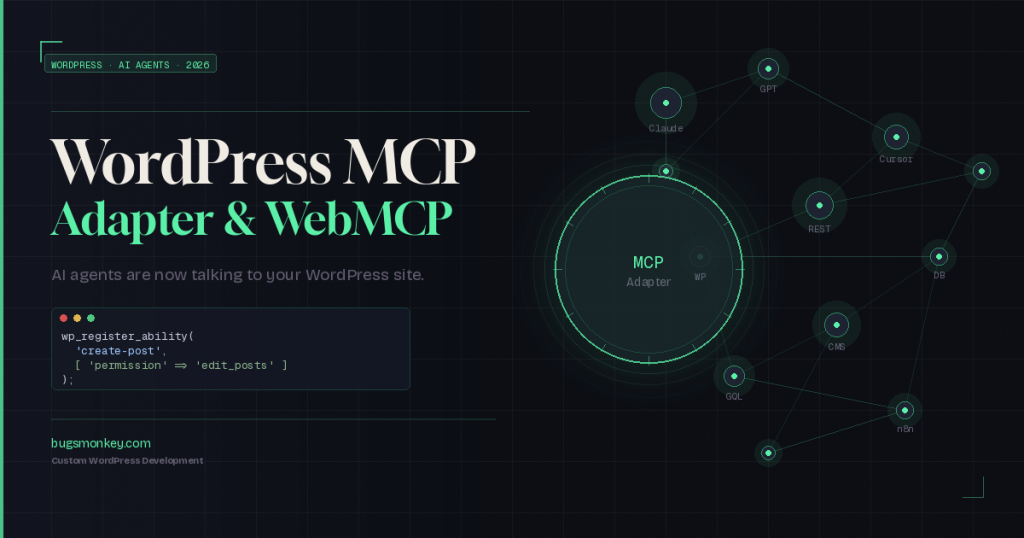
For years, getting an AI tool to do something useful inside WordPress meant copy-pasting content back and forth, writing custom scripts, or hoping a plugin existed. The WordPress MCP Adapter changes that. Here’s exactly what it is, how it works, and why it matters to anyone building on WordPress right now.
Your WordPress site knows a lot. It holds your content, your products, your customer data, and your settings. But until recently, an AI assistant like Claude or ChatGPT couldn’t touch any of it without either a clunky manual workflow or bespoke API glue code. The WordPress MCP Adapter is the official bridge that changes the relationship between AI agents and your WordPress site. And WebMCP extends that bridge directly into the browser.
This is not a distant future concept. The MCP Adapter shipped from the official WordPress AI team in early 2026, built on top of the Abilities API that landed in WordPress 6.9. If you run or build on a WordPress site, this is worth understanding now before it becomes standard practice.
What Is the Model Context Protocol (MCP)?
MCP stands for Model Context Protocol. Think of it as a universal plug socket for AI tools. Instead of each AI product (Claude Desktop, Cursor, ChatGPT, and similar) needing a custom integration for every app or service it interacts with, MCP defines one standard way for AI clients to discover and use external capabilities.
The analogy that clicks: before USB, every device manufacturer used a different connector. MCP is the USB of AI integrations. Once your system speaks MCP, any MCP-compatible AI client can connect to it without extra plumbing.
For WordPress, that means a single setup can make your site’s capabilities available to Claude Desktop, Cursor, ChatGPT, and any other MCP-aware tool. No per-app configuration. No duplicate integrations. Just register your abilities once, and the protocol handles discovery.
The WordPress Abilities API: The Foundation Everything Relies On
Before the MCP Adapter makes sense, you need to understand the Abilities API. It was introduced in WordPress 6.9 as a core addition. The Abilities API creates a central registry inside WordPress where plugins, themes, and core itself can declare what they can do.
Each registered ability has a label, a description, an input schema, permission rules, and an execute callback. Think of it as a formal menu of actions your WordPress site knows how to perform. A plugin that manages events might register abilities like “create-event,” “list-upcoming-events,” or “cancel-booking.”
Previously, plugins exposed REST endpoints or shortcodes or admin panels, each in their own way. There was no unified, machine-readable list of “here is what this site can do.” The Abilities API fixes that gap. And once your site has that registry, the MCP Adapter can expose it cleanly to AI tools.
The key insight: You register a WordPress Ability once using
wp_register_ability(). Both the WordPress MCP Adapter (for CLI/API agents) and WebMCP (for browser-based agents) pick it up automatically. Two AI entry points. One registration.
What the WordPress MCP Adapter Actually Does
The WordPress MCP Adapter is a PHP package from the official WordPress AI Team. Its job is to take everything registered in the Abilities API and translate it into MCP-compliant tools, resources, and prompts that any MCP client can call. It sits between your WordPress install and AI tools like Claude Desktop or Cursor.
When an AI agent connects to your site via the adapter, it can discover all available abilities the same way a browser discovers what APIs a website offers. The agent then calls those abilities by sending structured JSON requests. WordPress validates permissions, runs the execute callback, and returns the result. Clean. Predictable.
HTTP Transport
The adapter ships with a unified HTTP transport implementing the MCP 2025-06-18 specification, ready for production use with remote AI clients.
STDIO Transport
Process-based communication for local development. Works with Claude Desktop and Cursor running on your own machine against a local WordPress install.
Permission Control
Every ability carries its own permission callback. AI agents can only do what an authenticated user is already authorized to do on your site.
Observability
Implement custom observability handlers to feed MCP activity into your monitoring systems, with a unified event model across all requests.
WebMCP: The Browser Side of the Same Coin
The WordPress MCP Adapter handles AI agents that connect via CLI or API, things like Claude Desktop running on a developer’s laptop, or Cursor pulling context from a live site. But what about AI tools operating inside a browser?
WebMCP fills that gap. It bridges registered WordPress Abilities to the browser’s navigator.modelContext interface, which is part of Chrome’s emerging WebMCP standard. Where the MCP Adapter serves CLI/API agents, WebMCP serves browser-based agents visiting your actual site.
Both use the same Abilities API registration underneath. A plugin developer calls wp_register_ability() once. The MCP Adapter picks it up for desktop AI clients. WebMCP Abilities picks it up for browser agents. Same source of truth, two transport paths.
“Register once with
WordPress Developer Blog, February 2026wp_register_ability(). Both plugins pick it up automatically.”
MCP Adapter vs WebMCP at a Glance
| Feature | WordPress MCP Adapter | WebMCP Abilities |
|---|---|---|
| Transport | HTTP / STDIO | Browser / navigator.modelContext |
| Best for | Claude Desktop, Cursor, API agents | Browser-based AI agents visiting your site |
| Source of abilities | WordPress Abilities API | WordPress Abilities API (same registry) |
| Permission model | Abilities API permission callbacks | Nonce verification + permission callbacks |
| Requires WordPress 6.9 | Yes | Yes |
| Official WordPress project | Yes, hosted at WordPress/mcp-adapter | Third-party plugin (Code Atlantic) |
What Can AI Agents Actually Do on Your WordPress Site?
This is where it gets practical. The MCP Adapter does not give AI tools blanket access to your database. It exposes only what has been explicitly registered as an ability, and it respects the permission rules baked into each one. A visitor-level AI agent cannot call an ability that requires admin permissions.
That said, the range of what plugins can expose is broad. A few real examples from what’s already working in production:
An AI assistant asked to publish a blog post can use MCP to research topics, generate the content, create images, run SEO optimization, and schedule the post, all through a natural conversation without a human clicking through the admin panel. A WooCommerce store connected via the MCP integration lets an AI agent query order history, check stock levels, or retrieve store statistics. Custom plugins built with the Abilities API can expose anything from fetching data to running diagnostics to triggering specific workflows.
The out-of-the-box WebMCP starter tools include full-text search across published content, retrieving any post by ID or slug with full metadata, listing all categories, and returning navigation menus. That’s useful on day one, before a single custom ability gets registered.
Why This Actually Matters for Your Business
The practical upside for anyone running a content-heavy site, a membership platform, or a WooCommerce store is significant. Right now, working with AI tools on WordPress still involves a lot of copy-pasting. You pull content from your CMS, drop it into an AI tool, edit it, paste it back. That friction compounds across a team over weeks and months.
MCP-enabled WordPress means your AI tools work with your site directly. An AI agent with the right abilities configured can handle routine publishing tasks, answer questions about your store’s inventory, audit your content library, or pull structured data for reports without anyone manually exporting anything.
For developers and agencies, this is a new surface for building. Custom WordPress plugins that register well-designed abilities become AI-ready APIs with minimal extra work. A plugin built for, say, managing event registrations doesn’t need a separate AI integration, because the Abilities API plus the MCP Adapter already handles the protocol layer.
If your current WordPress setup is a collection of disconnected plugins and a theme that predates this architecture, it may be time to think about what a purpose-built solution looks like. See how custom WordPress development can lay the right foundation before AI-native workflows become table stakes.
Security: What to Know Before You Connect an AI Agent
The permission model is the most important thing to understand before you start connecting AI clients to a live site. The MCP Adapter respects every permission callback defined in the Abilities API. An AI agent connecting as an authenticated editor cannot invoke abilities that require admin privileges. That boundary holds regardless of how the AI is prompted.
On the WebMCP side, HTTPS is enforced at the bridge level. Write operations require a valid X-WP-Nonce header. Permission callbacks get rechecked at execution time, not just at discovery. That prevents a scenario where an agent discovers an ability it can see but shouldn’t be able to call.
The sensible approach when starting out: expose only read-only abilities first. Test them with a local AI client. Understand what they return. Expand to write-capable abilities gradually, with explicit review of each permission callback. The architecture supports incremental rollout rather than all-or-nothing exposure.
How to Get Started With the WordPress MCP Adapter
If you’re already running WordPress 6.9 or later, the Abilities API is built in. The MCP Adapter installs as a plugin from the releases page at the official WordPress/mcp-adapter repository. Once it’s active, you configure an MCP server by registering a server ID, a REST API namespace, the transport method, and the abilities you want to expose.
The minimal path for developers
Register an ability using wp_register_ability() with a label, an input schema, a permission callback, and an execute callback. Then require and initialize the MCP Adapter in your plugin. Connect a local AI client like Claude Desktop or Cursor to the server endpoint. That’s the core loop. Everything else, including resources, prompts, observability handlers, and custom transports, layers on from there.
The Automattic wordpress-mcp repository is now deprecated in favor of the official WordPress/mcp-adapter. If you or your development team built early experiments against the former, migration to the canonical adapter is the right move before going further.
For WooCommerce stores
WooCommerce ships a developer preview of MCP integration behind a feature flag. Enabling it connects your store’s core abilities to MCP clients via a local proxy pattern. The current implementation bridges to existing REST endpoints, which means WooCommerce’s proven API layer handles the actual operations. It’s still in preview, so it’s worth thorough local testing before any production deployment.
Planning to build or migrate a WooCommerce store with this kind of AI-ready architecture from the start? The e-commerce development work done at Bugs Monkey is built around long-term extensibility, not just getting a store live.
For headless WordPress setups
Headless architectures sit in an interesting position here. The MCP Adapter operates at the WordPress backend level regardless of what the front end looks like. If you’re already running a decoupled setup with React on the front and WordPress managing content, the Abilities API and MCP Adapter slot into the backend layer cleanly without touching the front-end architecture.
If you haven’t explored what a decoupled WordPress setup means for your performance and flexibility baseline, the guide to headless WordPress breaks that down without the jargon.
This Is Still Early Days. Here’s the Honest View.
The MCP Adapter is real and ships in production. But the broader ecosystem is moving fast. The specification itself updated in mid-2025. The WooCommerce MCP integration is still in developer preview. WebMCP relies on a browser API that’s still being standardized. Breaking changes are expected as each component matures.
That’s not a reason to ignore any of this. It’s a reason to understand it now, experiment in controlled environments, and think deliberately about how your WordPress architecture will extend into AI-native workflows. The projects that treat this as a second-class concern until it’s mainstream are the ones that find themselves rebuilding at the worst possible time.
Start with read-only abilities. Test locally. Build a clear picture of what your site can expose and to whom. Then expand deliberately. The Abilities API is designed for incremental adoption, which means there’s no reason to stay on the sidelines while the standard firms up.
Ready to Build on the Right Foundation?
AI-native WordPress architecture starts with custom development done properly. Talk to the team about what your site needs to get there.