If your WordPress site feels slow on mobile, fragile under traffic, or risky from a security standpoint, the problem usually isn’t marketing or design. It’s architecture. This guide is for CEOs who need clarity, not buzzwords. We’re breaking down what headless WordPress actually means, why it’s gaining traction, and when decapitating your CMS makes real business sense.
This is also where the discussion around headless WordPress vs traditional WordPress becomes unavoidable.
What “Headless” Really Means in Plain English
A traditional WordPress setup does two jobs at once. It stores content and it displays content.
A headless CMS separates those responsibilities.
WordPress still handles content management, editors, workflows, and publishing. But instead of rendering pages, it sends content to the front end through APIs. Usually the WordPress REST API.
That front end can be anything. A React app. A mobile app. A custom storefront.
This is why it’s called WordPress headless. The head is removed, not the brain.
Why CEOs Care About Headless CMS Content Management
From a leadership perspective, this isn’t about trends. It’s about risk, speed, and scalability.
Traditional content management systems bundle everything together. That makes them easy to start with, but harder to scale.
A headless CMS content management approach gives you:
- Faster mobile performance
- Better uptime during traffic spikes
- Cleaner security boundaries
- Freedom to change front ends without rebuilding your CMS
That flexibility matters when your business grows faster than your tech stack.
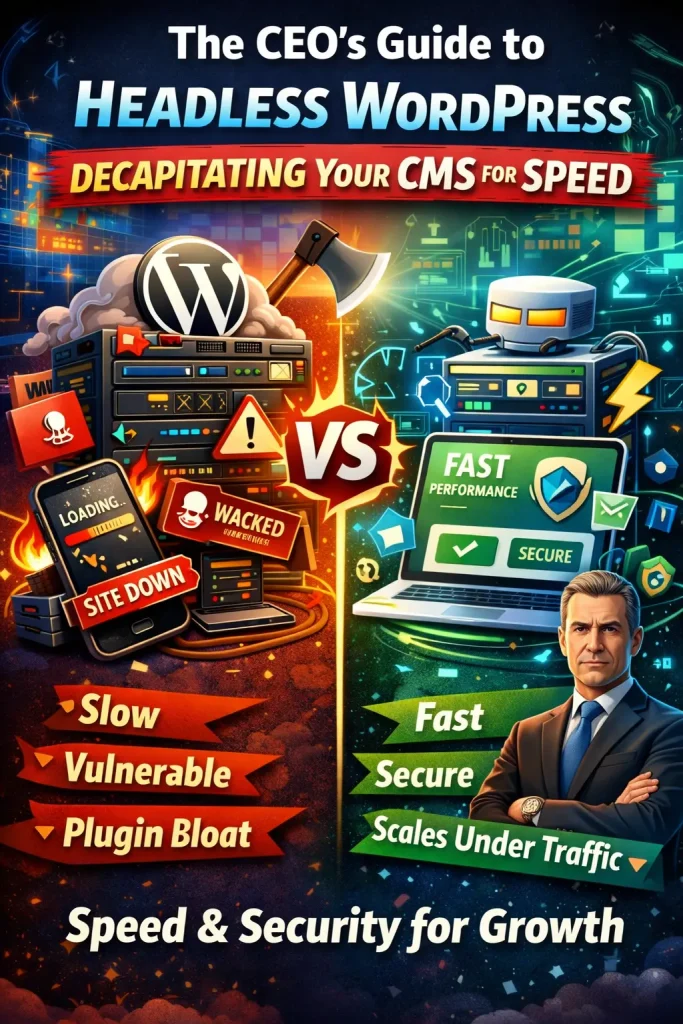
Headless WordPress vs Traditional WordPress: The Real Differences
This is where headless WordPress changes the equation.
In a WordPress headless CMS setup, WordPress handles headless CMS content management, not page rendering. The front end is decoupled and delivered through modern frameworks and CDNs.
Traditional WordPress
- Server renders every request
- Plugins control performance and security
- Traffic spikes overload the system
WordPress Headless CMS
- Content is delivered via the WordPress REST API
- Front end is pre-built and served fast
- Traffic spikes are absorbed, not feared
In a WordPress headless CMS, traffic spikes don’t overload your CMS. Your API headless CMS layer simply delivers content efficiently.
Speed: Where Headless WordPress Pulls Ahead
Slow mobile performance kills conversions. Period.
With headless WordPress, pages are often pre-rendered and cached globally. No waiting on PHP or database calls per request.
This is why headless WordPress development services are often chosen by brands that care deeply about performance metrics, not just aesthetics.
If speed impacts revenue, architecture is no longer a developer decision. It’s a CEO decision.
Security: Fewer Doors, Fewer Problems
Traditional WordPress exposes login screens, admin routes, and plugin vulnerabilities.
A headless setup reduces that exposure.
Your public site talks to WordPress through an API application programming interface, not direct access. Even if someone attacks the front end, your CMS stays isolated.
This is API application programming done with intent, not bolted on afterward.
Headless WordPress and E-Commerce
For stores, especially WooCommerce-based ones, headless architecture can be a serious upgrade.
With custom WooCommerce development services, businesses use headless front ends to:
- Keep checkout fast on mobile
- Handle large traffic surges
- Reduce plugin dependency
This approach pairs naturally with custom WordPress development services when off-the-shelf themes stop meeting performance goals.
When Headless WordPress Is Not the Right Move
Headless is powerful, but it’s not automatic.
It may not be right if:
- Your site is small and unlikely to scale
- You rely heavily on page builders
- You don’t need custom front ends
This is why experienced teams evaluate business goals first, not just tech preferences.
How Bugs Monkey Approaches Headless WordPress
At Bugs Monkey, we don’t push headless by default. We recommend it when it solves a real business problem.
Our approach includes:
- Assessing your current content management systems
- Designing scalable WordPress headless CMS architectures
- Building fast front ends with React
- Using the WordPress REST API the right way
We treat headless WordPress as part of long-term growth, not a trend. You can explore how we approach this on our services page.
If you want to understand who you’re working with, start here with Bugs Monkey.
The CEO Takeaway
Headless WordPress is not about complexity. It’s about control.
When speed, security, and scalability affect revenue, decoupling your CMS becomes a strategic move, not a technical experiment.
If you’re evaluating headless WordPress vs traditional WordPress for your next phase of growth, the right time to decide is before performance becomes a problem.
Or explore our performance-first mindset on the homepage